POS Hardware or a Cloud Cashier With No Devices? A Buyer's Guide
The real cost of traditional POS hardware, when a cloud cashier app on your phone or tablet is enough, and ZATCA requirements for point-of-sale invoices.
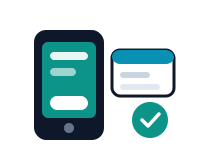
"How much does a cashier machine cost?" is where most new shop and restaurant owners start. The better question: do you need POS hardware at all? A modern cashier system is software before it is a device — and understanding the difference saves thousands of riyals.
What traditional POS hardware includes
- POS screen: the device the cashier software runs on — usually a touchscreen.
- Thermal receipt printer: prints the simplified tax invoice with its QR code.
- Cash drawer: opens automatically on cash transactions.
- Barcode scanner: essential in retail and supermarkets, less so in restaurants.
- Mada/card terminal: for card payments — supplied by your payment provider, not your POS vendor.
A complete new kit typically runs from 2,000 to over 8,000 SAR depending on quality and quantity — before you've paid a single riyal for the software itself.
The cloud cashier: software is the core
A cloud cashier runs in the browser on any phone, tablet or computer you already own: open the POS, ring up the order, and issue a ZATCA-compliant invoice instantly — send it by WhatsApp or print it if a printer is around. No hardware purchase, no maintenance, no data lost when a device fails.
When do you actually need hardware?
- You need it: a supermarket with barcodes and queues; a high-rush restaurant needing a kitchen printer and a fixed cash drawer.
- You don't: selling at events and pop-ups, food trucks and coffee carts, a small starting store, service providers — your phone is enough.
- The middle path: a cloud system that supports hardware — start with none, add a printer or drawer as you grow, without changing systems.
Don't forget the regulatory side
Whatever you choose, cashier receipts must be electronic simplified tax invoices with QR codes compliant with e-invoicing requirements, reported to the Fatoora platform within 24 hours under Phase 2. An old cash register printing plain receipts exposes you to fines however cheap it looks.
Bottom line
Start with the software, not the device: pick a ZATCA-accredited cloud cashier connected to accounting and inventory, then buy only the hardware your business proves it needs. See also our POS selection guide.
Try Mawrid for free
A Saudi AI-powered cloud accounting and ERP platform
Start now